How to Choose the Right Miner Power Supply?
Choosing the right Miner Power supply starts with the miner’s actual electrical demands, not the largest wattage printed on a box. An ASIC running around the clock needs stable output, sufficient headroom, and connectors specified by its manufacturer. A mismatch can mean wasted electricity, excess heat, or unexpected shutdowns. Small details matter.
Industry figures show why efficiency deserves attention. The Bitcoin Mining Council’s Q4 2023 report estimated a 54.5% sustainable energy mix among surveyed Bitcoin miners and reported improving network energy efficiency. These are network-level estimates, not guarantees for any individual machine. Still, they underline the value of avoiding preventable power losses. The Cambridge Centre for Alternative Finance’s Bitcoin mining research also examines the sector’s energy use and infrastructure, providing useful context for buyers comparing equipment.
For a practical choice, check the miner’s required input voltage, maximum consumption, recommended PSU capacity, and cable layout. Then compare efficiency ratings and confirm that the unit can sustain its rated output at the room’s expected temperature. A supply operating near its limit may behave differently in a hot, dusty mining room than it does on a test bench. That part is easy to overlook. Manufacturer specifications should guide compatibility, while independent reports help explain the broader energy picture. Neither replaces checking the exact model. A higher rating alone does not prove better reliability, and a tempting low price can conceal compromises in cooling, protection, or build quality. This guide considers the trade-offs, so readers can choose a power supply that fits their miner, operating conditions, and budget.
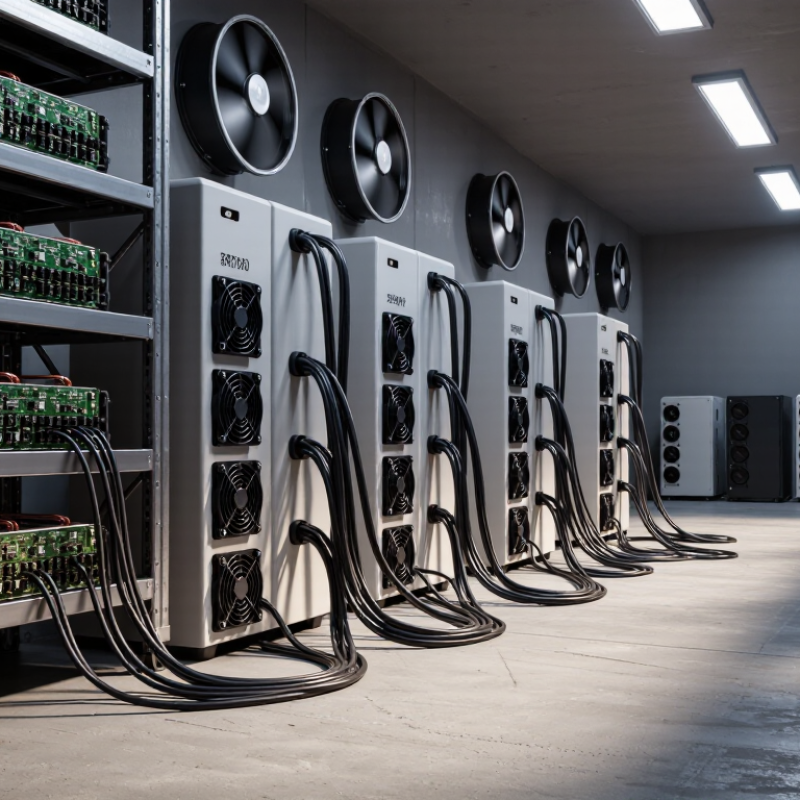
Match the PSU’s Continuous Output to the ASIC Miner’s Rated Power and Voltage
Choose a power supply by its continuous output, not its advertised peak. Check the miner’s datasheet for rated watts and permitted AC input voltage. For example, a 3,500-watt miner running at 230 volts draws about 15.2 amps before power-conversion losses. A practical 20% capacity margin would put the PSU target near 4,200 watts. Treat that margin as a planning choice, not a universal rule; hot rooms, unstable input voltage, and other equipment on the same circuit can change the load. Small differences matter.
Match the PSU’s input-voltage range to the miner’s requirement, then confirm its DC output and connectors are compatible. A unit rated for enough watts can still be unsuitable if the voltage range is wrong. The 80 PLUS certification test tables list Gold-level efficiency at 230 volts as 90% at 20% load, 92% at 50%, and 89% at full load. Those figures describe controlled test conditions, not every installation, but they show why operating near maximum capacity can mean more wasted energy and heat. Leave room for airflow and inspect the PSU label, not just the product listing. Rated figures can be easy to misread.
How to Choose the Right Miner Power Supply? — Match the PSU’s Continuous Output to the ASIC Miner’s Rated Power and Voltage
| Illustrative Miner Rated Power |
Miner Input Voltage |
Minimum PSU Continuous Output |
Example PSU Continuous Output |
Output Headroom |
Assessment |
| 3,000 W |
200–240 V AC |
3,000 W |
3,600 W |
20% |
Suitable if the PSU is rated for continuous operation at this output and its input-voltage range includes the supply voltage. |
| 3,250 W |
200–240 V AC |
3,250 W |
3,900 W |
20% |
Suitable with adequate continuous-output capacity and a compatible AC input-voltage range. |
| 3,500 W |
200–240 V AC |
3,500 W |
4,200 W |
20% |
Suitable if the PSU can deliver its stated continuous output under the installation’s temperature and cooling conditions. |
| 4,000 W |
200–240 V AC |
4,000 W |
4,800 W |
20% |
Suitable only when the PSU, wiring, circuit, and connector ratings all support the required load. |
| 3,250 W |
200–240 V AC |
3,250 W |
3,000 W |
Below requirement |
Not suitable: the PSU’s continuous output is lower than the miner’s rated power. |
| Selection note: These are generic planning examples, not specifications for specific miners or power supplies. Check the miner’s rated power and permitted input-voltage range, then choose a PSU whose continuous output meets or exceeds the miner’s requirement. A 10–20% capacity margin is a common planning allowance, but follow the equipment manufacturers’ instructions and verify the electrical circuit can safely support the load. |
Allow 20–30% Capacity Headroom Above the Miner’s Maximum Power Draw
How to Choose the Right Miner Power Supply?
Allow 20–30% Capacity Headroom Above the Miner’s Maximum Power Draw
A miner’s maximum power draw is the starting point, not the target rating for its power supply. Add 20–30% headroom to handle sustained operation, brief load changes, and warmer conditions. For a miner drawing up to 3,000 watts, look for a supply rated around 3,600–3,900 watts of continuous output. Check the specification sheet carefully: input capacity and output capacity are not always the same. Heat matters.
Tips: Multiply the miner’s maximum draw by 1.2 or 1.3. Check the power supply’s continuous-output rating, not just a peak figure. Keep airflow clear around the unit.
Headroom can reduce strain and leave room for small changes in operating conditions. It does not make an undersized circuit safe, or guarantee lower electricity use. Efficiency varies with load, so a much larger supply is not automatically better. One detail is easy to overlook: dust buildup can restrict cooling and raise temperatures over time. Recheck cables, ventilation, and operating readings after setup. If the miner’s draw is uncertain, use its published maximum and leave the larger margin. Estimates can be imperfect; measure actual draw when practical.
Compare Efficiency Ratings: 80 PLUS Gold Requires 90% Efficiency at 50% Load (115 V)
A miner’s power supply converts AC electricity from the wall into DC power for the hardware. At 115 V, an 80 PLUS Gold unit must reach at least 90% efficiency at 50% load. That figure describes one tested operating point, not every hour of mining. Small detail, big difference.
For example, if a supply delivers 1,000 watts of DC power at exactly 90% efficiency, it draws about 1,111 watts from the outlet. Roughly 111 watts become heat inside the conversion process. A miner that runs day and night makes this waste noticeable on both the room temperature and the electricity meter. Real efficiency can shift as the load changes.
Estimate your miner’s typical draw, then compare it with the supply’s rated output. A unit running close to half load may operate near the rating’s stated test point, but actual results depend on conditions. Check the manufacturer’s test data, operating temperature, and input voltage. I would not choose by the Gold label alone; I have seen that number treated like a full performance guarantee, which it is not. Noise, cabling, and stable output matter too. A power meter at the wall can reveal whether your real setup behaves as expected.
Confirm Input Voltage, Connector Type, and Cable Ratings for the Miner
Before buying a miner power supply, compare its rated input voltage with the voltage available at the outlet. Check the supply label and the miner’s documentation, not just the plug shape. A unit rated for one input range may not operate safely on another. Voltage can also dip under heavy load. Measure at the intended circuit if possible, or ask a qualified electrician. Small details matter.
Confirm the connector type and pin arrangement for the exact miner model. A plug that fits can still have a different pinout. Check whether the miner uses separate power connections and whether each connector is fully seated. Avoid improvised adapters; they can create poor contact and localized heat. Do not guess. I find this is an easy detail to overlook when comparing headline wattage.
Cable ratings matter as much as the power supply rating. Verify that each cable is rated for the expected current and temperature, and use the specified cable gauge and length where available. Long or undersized cables can warm under sustained load. Keep cables uncoiled and clear of sharp edges, and inspect connectors for looseness, discoloration, or a hot-plastic smell. If a cable feels warm, stop and investigate; “warm” is not a useful rating. Recheck the setup after the first hours of operation, since a connection can seem fine at startup and reveal problems under continuous load.
Check Cooling, Protection Features, and the PSU’s Operating-Temperature Range
A miner power supply works under sustained electrical load, so cooling deserves more than a glance at the room thermostat. ASHRAE’s Thermal Guidelines for Data Processing Environments, fifth edition, gives 18–27°C as the recommended inlet-air range for common equipment classes. That is a useful reference, not a substitute for the PSU’s own operating-temperature rating. Check the product specification, then measure air near the PSU intake during a full-load run. A small caveat: one room sensor can miss a hot pocket behind a rack. Dust buildup and restricted airflow can raise local temperatures quickly. Heat accumulates fast.
Protection features matter when temperatures or loads fluctuate. Check the PSU documentation for over-temperature, over-current, over-voltage, and short-circuit protection, and confirm whether the operating-temperature range assumes derating at higher temperatures. A wide range on paper does not guarantee stable output in a poorly ventilated enclosure. IEC 62368-1 provides a recognized safety framework for information and communications technology equipment, but it does not replace checking the unit’s specific protection specifications. Leave clear space around air inlets and outlets, and monitor intake temperature rather than guessing from touch. I would still recheck the setup after cleaning or moving equipment; airflow changes more easily than expected.
How to Choose the Right Miner Power Supply
Compare the PSU’s rated ambient temperature with the temperature where it will operate.
These are example temperature ratings, not a universal standard; confirm the exact operating range and derating curve in the product datasheet. Ensure unobstructed airflow and check for over-temperature, over-current, over-voltage, and short-circuit protection.